Choose your distractions.
Select the apps, categories or websites you want to pause using Apple’s Screen Time controls.
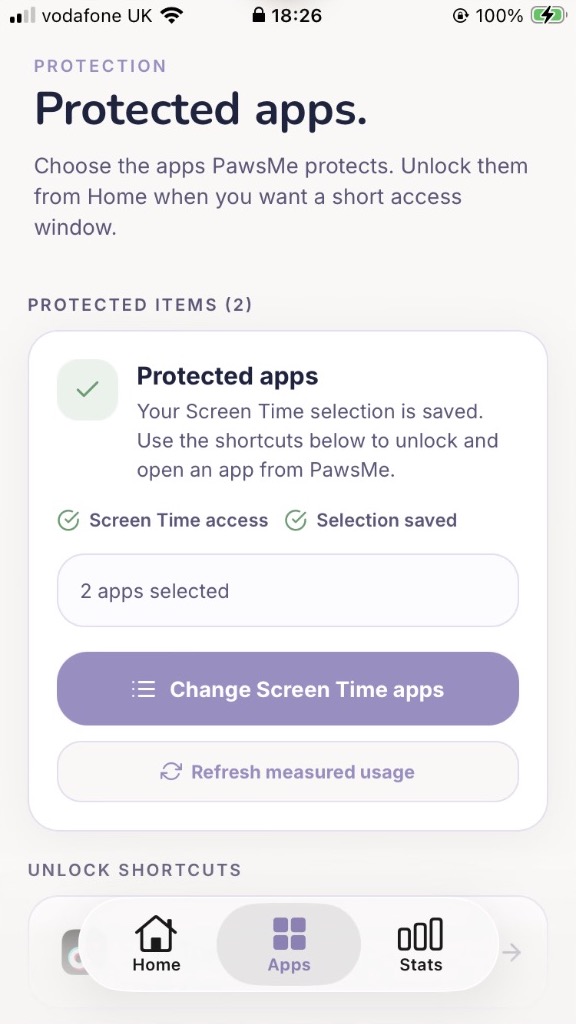
Pause distracting apps. Answer a quick question. Make your next tap intentional—with Paws by your side.
7-day trial for eligible customers where offered. Then a weekly subscription.
 Your next tap is a choice.
A small change to your routine
A quick checkpoint gives you a moment to choose what comes next.
Select the apps, categories or websites you want to pause using Apple’s Screen Time controls.
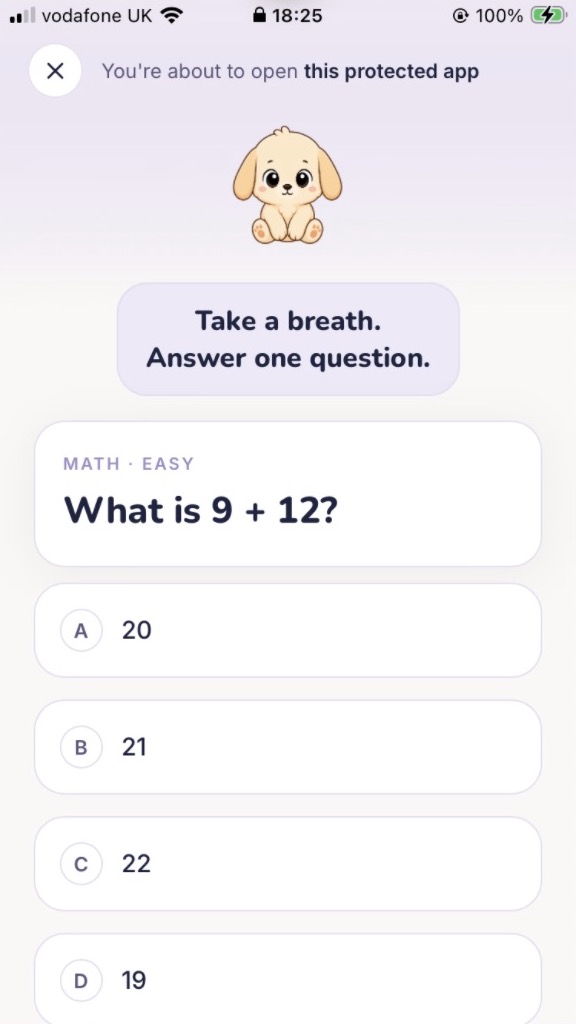
When a shield appears, open PawsMe and answer a quick question. Choose a temporary unlock, or resist the distraction.

Meet Paws
Care for Paws as you build calmer phone habits. Earn points through intentional pauses and completed focus sessions, and keep your progress close with Home Screen widgets.
Your selected apps and Screen Time reports stay on your device. PawsMe doesn’t read your messages, photos, passwords or screen content.
Read how subscriptions and analytics workChoose the apps, categories or websites you want to protect. Apple’s Screen Time controls show a shield when you try to open them. Open PawsMe, answer a short question, then decide whether to continue for your chosen access window or resist the distraction.
Paws is your puppy companion. Intentional pauses and completed focus sessions earn points and help you care for Paws. Check your progress, build a streak and see your week in a recap.
PawsMe offers a weekly auto-renewing subscription. A 7-day free trial is available to eligible customers where offered. The app and Apple’s purchase sheet show your current price and eligibility before you subscribe. Manage or cancel renewal in your App Store subscription settings.
No. PawsMe does not read your messages, photos, passwords or screen content. Your selected apps and Screen Time reports stay on your device. Subscription processing and marketing measurement use service providers, as explained in our privacy policy.
PawsMe is available for iPhone with iOS 16 or later. Download it using the App Store link on this page.

PawsMe for iPhone
7-day trial for eligible customers where offered.
Then a weekly auto-renewing subscription. Cancel renewal in App Store settings.